Business guide
3 Best Card Machines for a Restaurant in South Africa (2026)
What a restaurant needs from a card machine: tips, split bills, paying at the table and a till that sends the amount. Three setups and what a year costs.

Some links here are referral links, and where a provider gives our readers a better price than its own site, that is the price you get by using one. It costs you nothing extra, and every option here is judged on the same test either way.
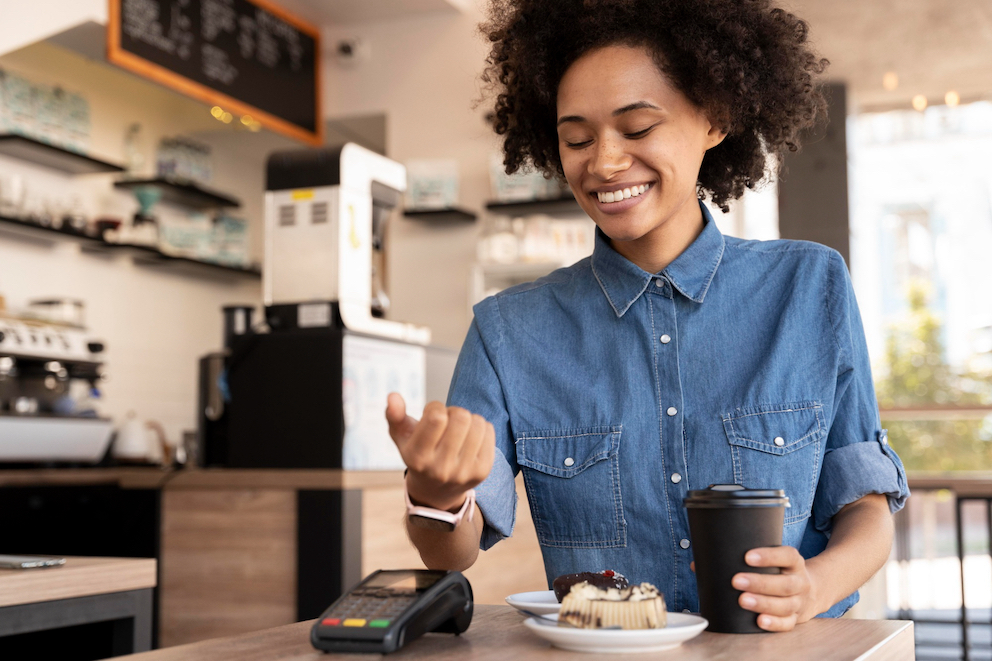
In a restaurant, the card machine does its work at the table. It has to add the tip, split one bill six ways, and print a slip, while the waiter is between tables. The fee per sale matters, but it's rarely what goes wrong on a busy night.
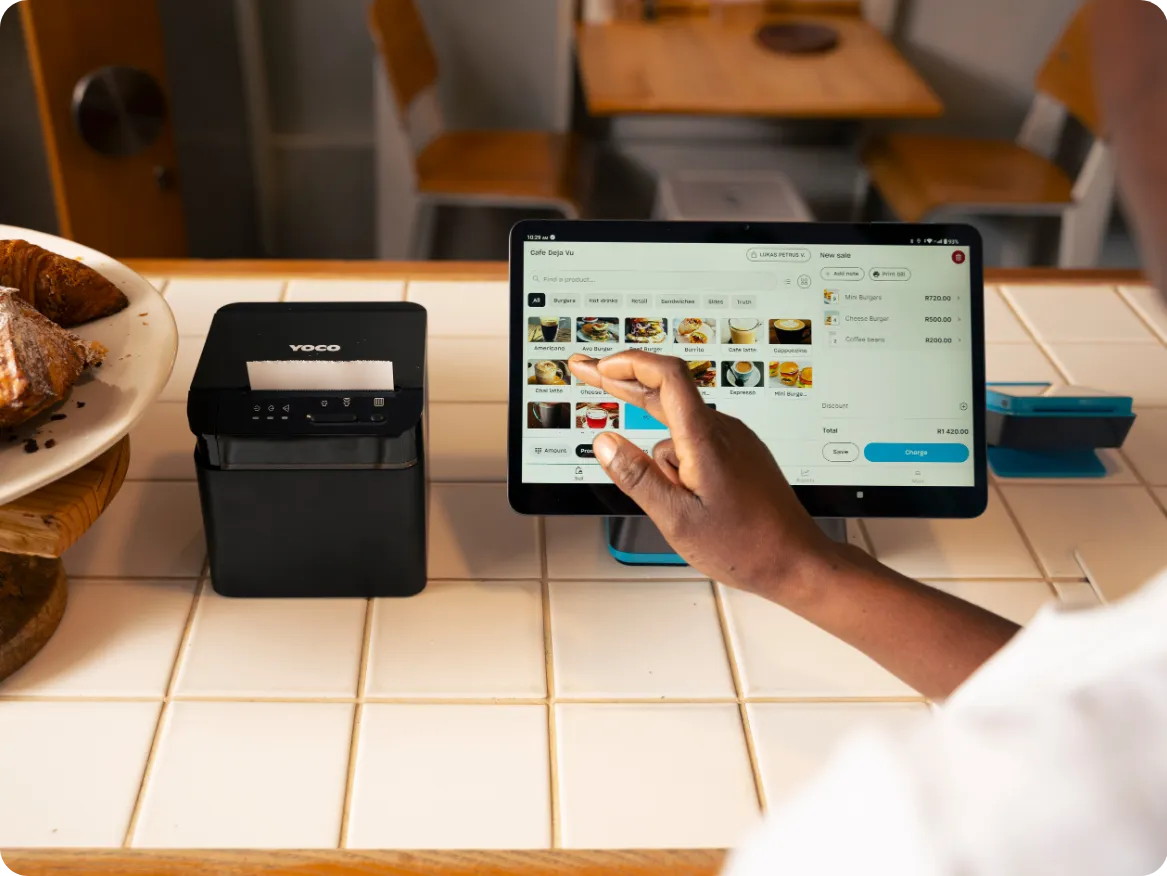
So the real choice isn't one card machine against another. It's a handheld that does everything at the table, or a till at the counter with the card machine attached. If your kitchen needs orders on paper, you need the till. In this guide I'll set out what a restaurant needs, measure three setups against it, and show what a year costs.
What a restaurant needs from a card machine
A shop rings up a sale and it's done. A restaurant opens a bill, adds to it through the meal, and closes it at the table, often with a tip and more than one card. These five needs follow from that, and every setup below is measured against them.
Tips on the machine
The guest adds the tip on the card machine, and it's recorded against the sale.
No cash tips to count and share out at the end of the nightSplit the bill
One table, several cards, split by item or by amount.
The most common request at a table of friendsPay at the table
A handheld machine the waiter carries to the guest, with a battery that lasts the shift.
The card never leaves the guest's sightPrint the bill and the orders
A printed bill for the table, and orders printed in the kitchen and at the bar.
Guests still ask for a slip, and kitchens still work from docketsThe till sends the amount
The amount comes from the bill on the till, so nobody types it into the card machine by hand.
A typed amount is where a R450 bill becomes R45How the three setups measure up
Two of these are handhelds and one is a till. All three take tips and split the bill, so the difference is in the last two rows: who prints the kitchen's orders, and whether the amount reaches the card machine without anyone typing it.
| Requirement | Yoco Khumo Print 2, R1 399 | Yoco Counter + Printer, R5 499 | iKhokha iK Flyer, R1 499 |
|---|---|---|---|
| Tips on the machine | Tip prompt on the machine | One-touch tipping on the Neo Touch | Tips through the machine or the app |
| Split the bill | By item or by amount | Split the bill at the till | Split bills |
| Pay at the table | Handheld, up to 18 hours of battery | Add a Khumo 2 (R699) for the table | Handheld, all-day battery |
| Print the bill and the orders | Itemised bills and order slips; no kitchen printer | Receipts and order slips; kitchen and bar split on Pro | Prints receipts; kitchen orders need the iK POS till |
| The till sends the amount | Yoco's free POS runs on the machine itself | The Counter and its card machine are one system | iK POS is R7 499 plus R660 a month; iKhokha doesn't say it sends amounts to the Flyer |
← scroll the table sideways on a narrow screen →
The Khumo Print 2 clears the last row because the bill is rung up on the machine itself, on Yoco CoreYoco's standard plan, and the one almost every small business is on. It costs R0 a month, charges 2.30% excluding VAT per local card sale, and includes unlimited mobile data on the machine's multi-network SIM at no extra cost. Instant Payout costs a flat R17.25 for a payout under R1 000 and 1.5% above that on Core, for up to R10 000, once a day.At a cafe taking R30 000 a monthCore is why the Khumo Print 2 and the Counter have nothing to pay monthly. At R30 000 a month in card sales you pay about R690 a month in fees on it, and nothing else.Core is Yoco's free plan and the one almost every small business is on. There's no monthly fee, the point-of-sale software is included, and the fee is 2.30% excluding VAT on local cards up to R50 000 a month. Table management and tableside ordering are on the R499 Pro plan, not Core.See every term in the glossary. What it can't do is print in the kitchen, and that's the line where a restaurant moves to a till.
1. Yoco Khumo Print 2: for a cafe or small restaurant
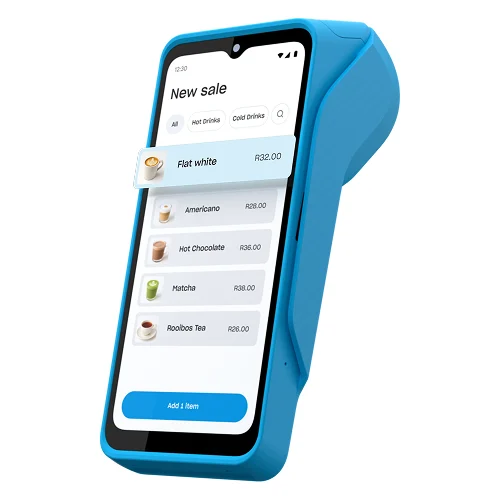
If you don't have a kitchen that works from dockets, one handheld does the whole job. The Khumo Print 2 runs Yoco's free point-of-sale software, so the waiter rings up the bill on it, prints it at the table, splits it by item or amount, and takes the tip and the card. It can keep a bill open through the meal, and refunds are limited to the staff members you approve.
It's R1 399 once, with nothing to pay monthly on Core and 2.30% Excluding VATThe rate before 15% VAT is added, which is how almost every South African provider quotes. A rate of 2.30% excl. VAT actually bills you 2.645%, so two quotes are only comparable once you know which basis each is on.On a R450 bill2.30% excluding VAT is R10.35, and with 15% VAT on top Yoco keeps R11.90 of the R450. iKhokha quotes its fees the same way.Card machine fees in South Africa are quoted before VAT, and the amount that actually leaves your sale is the fee plus 15%. Because every provider quotes this way, comparing their fees side by side is fair as it stands.See every term in the glossary on each local card sale. The data on its SIM is included, so it works on the floor without your Wi-Fi.
1Best for a cafe or small restaurant
Yoco Khumo Print 2
Accepts
- Tap, chip & swipe
- Visa
- Mastercard
- Amex
- SASSA
- Apple Pay
- Google Pay
- Samsung Pay
Who it's for
Rings up, prints, splits and takes the tip at the table, on free software, with nothing to pay monthly.
- MonthlyR0 on Core, data included
- Fee per sale2.30% excl. VAT
- At the tableTips, split bills, printed bill
What you get with the extra Yoco discount
- R100 off your card machine, which Yoco takes off when you sign up through our link
And everything Yoco gives everyone
- Sign up in 5 minutes, and it works with the bank account you already have
- Paid out in 1 to 2 business days into that same account
- A 1-year warranty and a 30-day money-back guarantee
Last checked on 24 September 2026
you'll go to www.yoco.com's sign-up page with your extra R100 discount applied
What the Yoco Khumo Print 2 works withPOS software and accounting
What Yoco works withRead 7 Oct 2026
-
POS software
On any Yoco plan
- LightspeedConnected
- LoyverseConnected
- TallOrderConnected
- SalonBridgeComing soon
-
Accounting
Needs the Plus plan, R249 a month
- XeroConnected
- SageConnected
- QuickBooksConnected
- StubConnected
A takeaway that doesn't print a bill can use the Khumo 2 at R699 instead. It does the same at the counter and sends receipts by SMS or email.
2. Yoco Counter with a printer: for a restaurant with a kitchen
Once orders have to reach a kitchen or a bar on paper, you want a till. The Yoco Counter is a 12-inch touchscreen till with a Neo Touch card machine in the box, and the bundle with one printer is R5 499. The bill goes from the till to the card machine, and every void, discount and refund is recorded against the staff member who approved it.
Table management costs extra. Seeing every open table, ordering at the table and sending food to the kitchen and drinks to the bar are on Yoco's Pro plan at R499 a month. Pro's lower fee doesn't pay for it at a small restaurant: at R30 000 a month in debit card sales it saves about R105 a month. Pay for Pro when you want the table tools, not for the lower fee.
2For a restaurant with a kitchen
Yoco Counter + Printer

Accepts
- Tap, chip & swipe
- Visa
- Mastercard
- Amex
- SASSA
- Apple Pay
- Google Pay
- Samsung Pay
Who it's for
A countertop till with the card machine attached, a printer for slips and orders, and staff records on every void and refund.
- MonthlyR0 on Core; table tools on Pro, R499
- Fee per sale2.30% excl. VAT on Core
- Two printersR6 999; kitchen and bar split on Pro
What you get with the extra Yoco discount
- R100 off your card machine, which Yoco takes off when you sign up through our link
And everything Yoco gives everyone
- Sign up in 5 minutes, and it works with the bank account you already have
- Paid out in 1 to 2 business days into that same account
- A 1-year warranty and a 30-day money-back guarantee
Last checked on 24 September 2026
you'll go to www.yoco.com's sign-up page with your extra R100 discount applied
Add a Khumo 2 at R699 to take payment at the table; it syncs with the Counter. Yoco gives you 30 days from delivery to send the Counter back for a full refund if it doesn't suit how your restaurant runs.
3. iKhokha iK Flyer: the other handheld
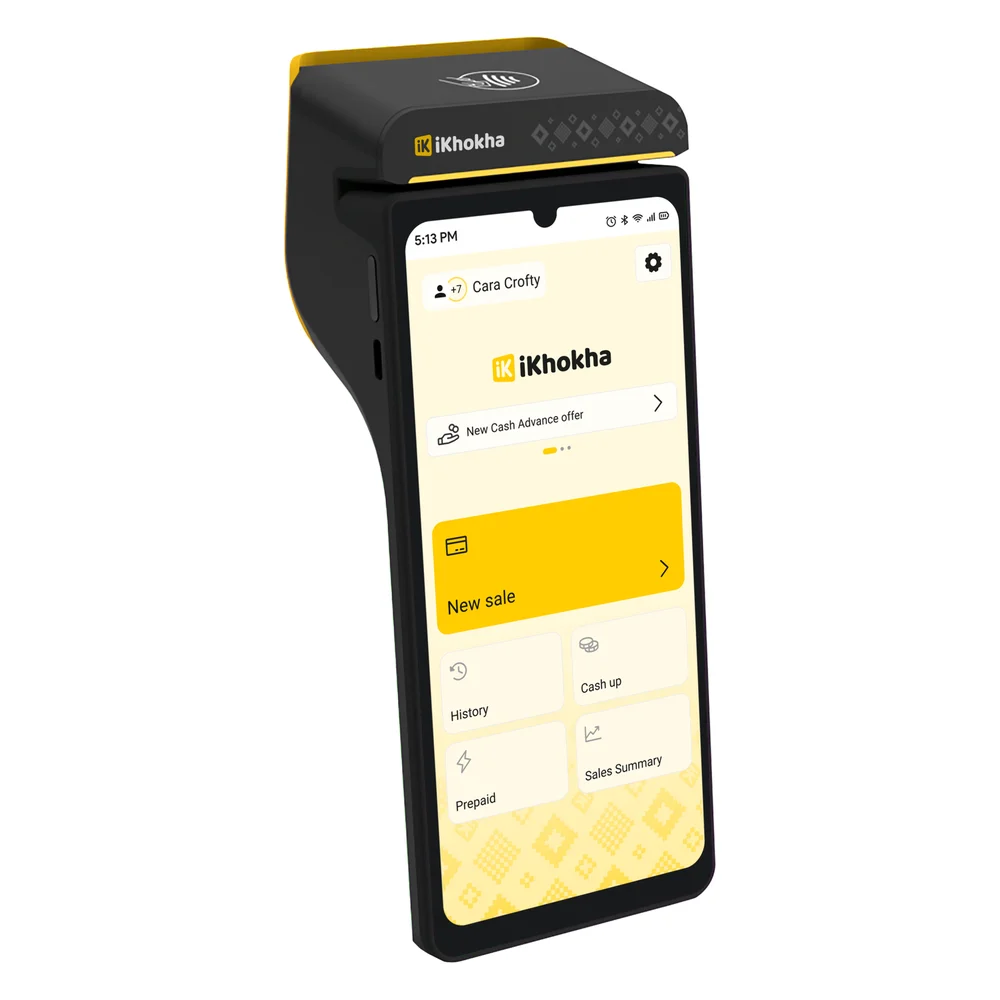
iKhokha sells the iK Flyer for restaurants and bars. It splits bills, takes tips through the machine or the iKhokha app, and prints the receipt. It's R1 499 with no rental, at 2.75% excluding VAT up to R40 000 a month. iKhokha charges R2.50 every time it pays you, and its two SIMs are R75 a month unless you run it on Wi-Fi.
iKhokha's till is the iK POS at R7 499, and it comes with a monthly software licence: R660 a month, or R960 for two tills, paid by debit order only. That licence includes a table floor layout, dish modifiers and open tabs. iKhokha doesn't say whether the till sends the amount to the iK Flyer.
3If you prefer iKhokha
iKhokha iK Flyer
Accepts
- Tap, chip & swipe
- Visa
- Mastercard
- Amex
- Apple Pay
- Google Pay
Who it's for
A handheld with a printer that splits bills and takes tips, with no rental.
- MonthlyR0 rental; SIMs R75 if you want them
- Fee per sale2.75% excl. VAT, lower as you grow
- Getting paidR2.50 a payout
What iKhokha gives everyone
- Unlimited digital invoices, free, from the iK Invoice tool
- Same-day payouts, twice a day, on Nedbank or the iK Debit Card for sole traders, at R2.50 each
Last checked on 24 September 2026
you'll go to www.ikhokha.com's sign-up page with your extra 10% discount applied
If you bank with FNB or Absa, iKhokha pays you the next business day. Over a year it costs more to run than the Khumo Print 2 at a small restaurant's turnover, which the table below shows.
What a year costs at R30 000 a month
Here's each setup over a full year at R30 000 a month in local debit card sales. Yoco's Counter appears twice, on the free plan and on Pro, because the table tools are what most restaurants weigh.
One year with each setup, at R30 000 a month in local debit card sales. The three Yoco setups are on the free Core plan except the Counter on Pro, which has two printers:
A year at R30 000 a month
| Khumo Print 2 | Counter + Printer | Counter on Pro | iK Flyer | |
|---|---|---|---|---|
| Hardware, once | R1 399 | R5 499 | R6 999 | R1 499 |
| Plan, a year | R0 | R0 | R5 988 | R0 |
| Fee per sale | 2.30% | 2.30% | 1.95% | 2.75% |
| Fees, a year | R8 280 | R8 280 | R7 020 | R9 900 |
| Payout charges, a year | R0 | R0 | R0 | R660 |
| Year one | R9 679 | R13 779 | R20 007 | R12 059 |
| Table management | No | No | Yes | Only with iK POS |
mashjoy.com calculation from each company's own prices. Assumes local debit cards throughout (Yoco's Pro fee is 2.15% on credit cards) and, for iKhokha, one payout every business day (about 22 a month at R2.50). The iK Flyer is run on Wi-Fi. iKhokha's iK POS till is R7 499 plus R660 a month, R15 419 in year one before card fees. All figures exclude VAT. The boxes above show any discount through our link.← scroll sideways on a narrow screen →
The Khumo Print 2 is the cheapest way to take cards at the table. A Counter adds R4 100 for the till and the printer, and the Pro setup with two printers about R6 200 more.
From the second year the hardware is paid for, so the Counter on Core costs the same to run as the Print 2.
Which one should your restaurant get?
For a cafe, a takeaway or a small restaurant, the Yoco Khumo Print 2. It rings up the bill, prints it, splits it and takes the tip at the table, and costs the least to run of the three.
Get the Yoco Counter with a printer once your kitchen works from printed orders, and add the Pro plan only when you want to see every table and order at the table. Choose the iK Flyer if you'd rather be with iKhokha; it does the table work too, at a higher fee per sale.
Cafes, takeaways and small restaurants that take payment at the table and print the bill.
Yoco Khumo Print 2
R1 399once-off
R1 399 once-off, R0 a month on Yoco's free Core plan, data included, 2.30% excl. VAT per local card sale (checked 8 October 2026)
Get the Khumo Print 2 Price checked 7 Oct 2026Questions restaurant owners ask about card machines
Choosing
What is the best card machine for a restaurant in South Africa?
For a cafe or small restaurant, the Yoco Khumo Print 2 at R1 399: it prints the bill, splits it and takes tips at the table, with no monthly fee on Yoco's Core plan and 2.30% excluding VAT per local card sale.A restaurant with a kitchen needs a till such as the Yoco Counter with a printer at R5 499. Checked 8 October 2026.
At the table
Can a card machine split the bill?
Yes. Yoco's machines split a bill by item or by amount at the table, and iKhokha's iK Flyer splits bills too.Each guest then pays their share by card.
How do tips work on a card machine?
The guest adds the tip on the card machine before paying, and it's recorded with the sale.Yoco's machines show a tip prompt, and iKhokha lets staff take tips through the card machine or the app.
Costs
Does Yoco charge for table management?
Yes. Yoco's point-of-sale software is free on every plan, but table management, tableside ordering and sending orders to separate kitchen and bar printers are on the Pro plan at R499 a month.Checked 8 October 2026.
Does iKhokha's restaurant till have a monthly fee?
Yes. The iK POS is R7 499, plus a software licence of R660 a month for one till or R960 for two, paid by debit order.The licence includes a table floor layout and dish modifiers. Checked 8 October 2026.